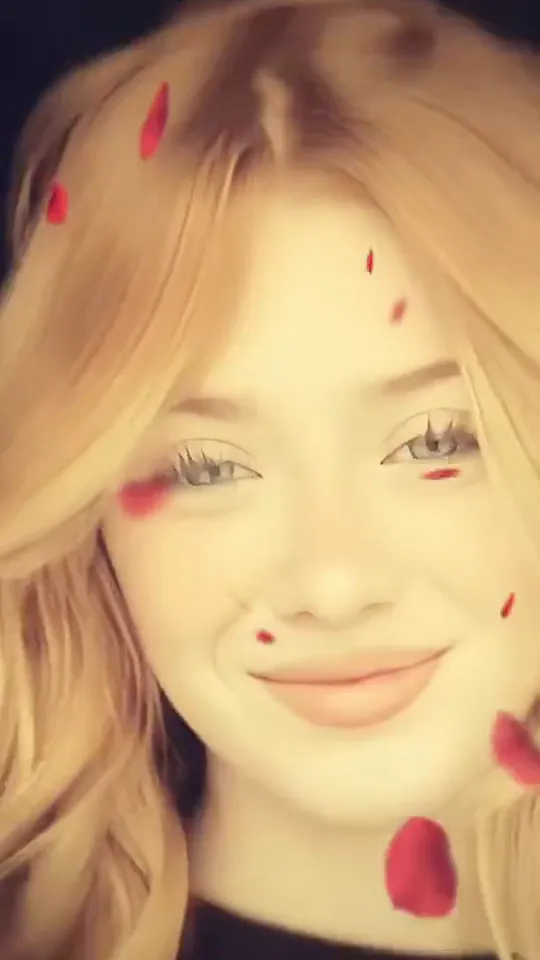
Come and Get It Trend AI
Tu foto, en este video. 12 s
What the finished clip shows
- You face the camera with a smile as red rose petals drift across your face. Warm golden colour fills the close-up. Your head makes small tilts while your lips move, and the camera slowly pushes closer against a dark background.
- The picture turns black and white, with a petal resting on your cheek. You lift both hands into your hair and run them through it. Your eyes close as the close-up continues, with petals drifting down.
- Your head tips back and you look upward in black and white. Rose petals float down across the picture, appearing dark gray. The camera continues its slow push toward your face as your hair falls back into place.
- Golden tones return as petals fall beside your eyes. You tilt your head to one side and look into the lens. Your hair settles around your face while the picture continues flashing between warm colour and black and white.
- A petal passes near your lips in a black-and-white close-up. Your face takes up more of the picture. You pout, then ease into a slow smirk as the camera draws closer and rose petals continue falling in front.
- Your face fills the frame in black and white as petals fall across the close-up. You smile into the lens. The picture keeps changing with the beat, and your mouth continues moving through the final moments of the clip.
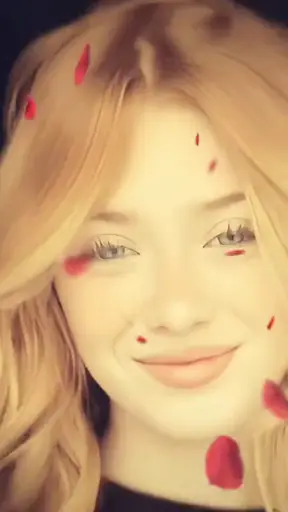
0:01 in the original
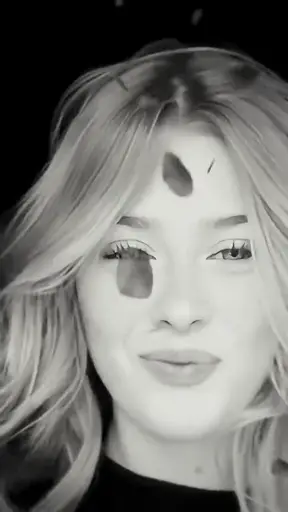
0:03 in the original
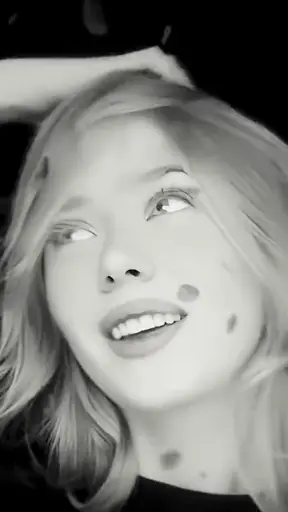
0:05 in the original
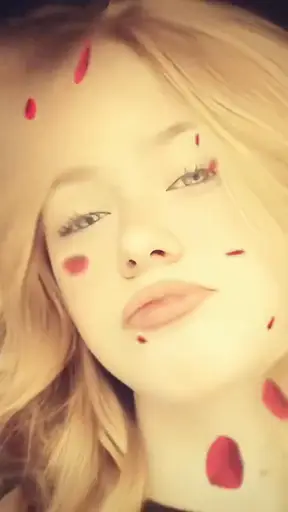
0:07 in the original
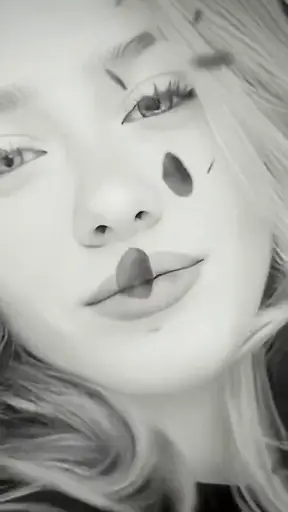
0:09 in the original
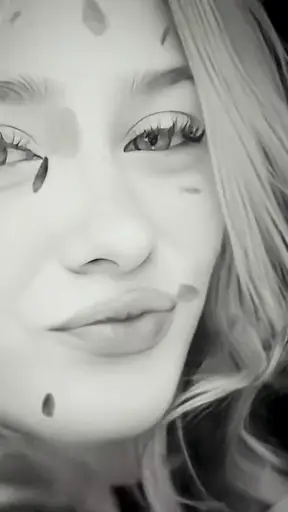
0:11 in the original
How to make it on Put Me In
Choose Solo or Night and upload one clear, front-facing photo of yourself. Keep your face easy to see: Solo ends with your face filling the picture, while Night includes a backward head tilt and hair moving across your features. Your face is the focus throughout these close-ups. Both choices on this page are for a person, and neither has a pet version.
In Solo, you get warm golden colour, black-and-white flashes and the slow fall of rose petals shown in the preview. Night gives you blurred street lights, strong backlighting, wind and deep red colour between black-and-white moments. The head movements, mouth movements and colour changes follow the version you choose.
You use one photo for the version you select. The close framing carries through to the finished clip, including the petals in front of your face and the changes between colour and black and white.
Questions
- In Solo, you start facing the camera, bring your hands into your hair, tip your head back and finish with changing expressions close to the lens. In Night, you start with your head already tipped back, then lower it toward the camera before singing along. Your choice sets that sequence, including when you look toward the lens and move your mouth.
- Your face shape, eyes, eyebrows, nose and mouth provide the details used throughout the clip. Your hair colour and length also come from your photo, along with visible features such as glasses, freckles or facial hair. Choose a picture where you can see those details clearly. They matter when the camera moves close and when your head changes angle.
- You have Solo and Night to choose from, and both are person versions. This page has no pet option, so choose a photo of yourself for either one. The performance centres on your expressions: smiling, closing your eyes, looking toward the camera and moving your lips. Your choice between Solo and Night changes the performance and setting while keeping a person as the subject.
- You hear the original sound from the trend clip over your 12 seconds of video. Your mouth opens, closes and shapes expressions at the same moments as the original performance. In Night, you visibly sing along toward the lens; Solo includes mouthing the hook. The sound and the timing of those movements stay tied to the original clip you choose.
- Yes. If a paid video can't be made, a person checks it within 2 business days, then we remake it or refund you in full; a video paid with credits gets its credits back. A photo that fails the check is never charged.
- Yes. Photos of an order you don't pay for are deleted within 24 hours, and photos of a paid video after 30 days. The finished video is deleted 30 days after delivery, and until then it opens only on the account that ordered it. Our video provider may keep copies under its own policy.
- No. You need an account to order, and you can sign in with an email and password or with Google, whichever you like.
Unofficial AI recreation. Not affiliated with the original creators.